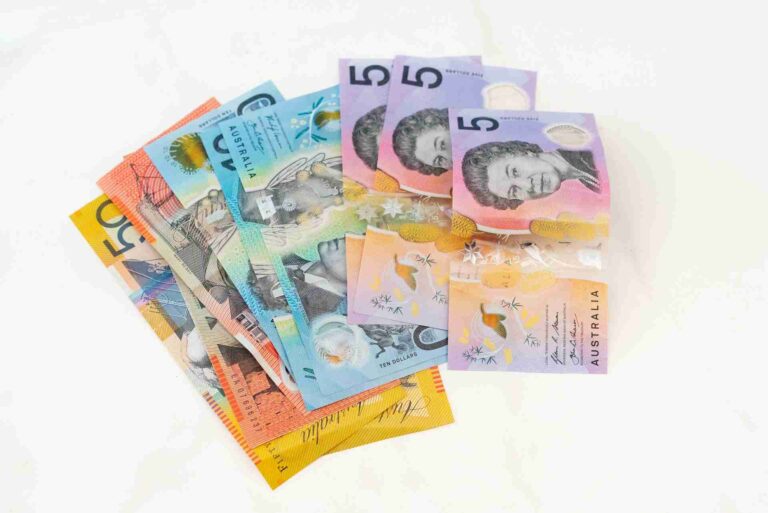
Australian GST Calculator
Add or remove 10% GST from a price. Enter an amount — no button, results update as you type.
GST-free and input-taxed lines both show $0.00 GST — the difference is whether the seller can claim GST credits on their own purchases, not the price shown here. See “GST-free vs input-taxed” below.
Australian GST Calculator
This calculator adds or removes Australia’s 10% Goods and Services Tax (GST) from any price, instantly. Enter an amount, choose whether it already includes GST or not, and see the price excluding GST, the GST component, and the price including GST — all three at once. For invoices with several line items at different GST treatments, the invoice mode below handles a full multi-line breakdown with a running total.
The GST Formula
GST in Australia has been a flat 10% since it was introduced in 2000 — there’s no tiered rate structure to worry about, unlike income tax.
- Adding GST to a GST-exclusive price: multiply by 1.1. A $100 net price becomes $110.
- Removing GST from a GST-inclusive price: divide by 11. A $110 price contains exactly $10 of GST, because 10% of the $100 underlying price is 1/11 of the $110 total.
Worked example: a $46.59 GST-inclusive product breaks down to $42.35 ex-GST plus $4.24 GST ($46.59 ÷ 11 = $4.24, rounded to the cent). Going the other way, a $42.35 net price plus 10% GST comes to $46.59 gross — the two directions reverse each other exactly, to the cent.
GST-Free vs. Input-Taxed — Same $0 GST, Different Rules
Two categories of sale have no GST added to the price, but they aren’t the same thing for the seller:
- GST-free — most basic food, some education courses, some medical/health/care services, exports, and several other categories. The seller can still claim GST credits on the purchases they make to run their business.
- Input-taxed — mainly financial supplies (lending money, providing credit) and selling or renting out existing residential premises. The seller cannot claim GST credits on their related business purchases.
To a customer, both look identical — no GST on the receipt either way. The invoice mode above lets you flag each line item with the correct category rather than lumping everything into a single generic “no GST” bucket, since the distinction matters for whoever is issuing the invoice.
Worked Example — Mixed Invoice
A $200 (ex GST) standard-rated consulting fee plus a $100 GST-free training resource: the consulting line adds $20.00 GST, the training line adds $0.00. Subtotal: $300.00, total GST: $20.00, grand total: $320.00. Switch to “amounts inc GST” entry and enter a $110 standard-rated item plus a $50 input-taxed item (say, a portion of rent) instead: the standard line resolves to $100.00 net + $10.00 GST, the input-taxed line to $50.00 net + $0.00 GST — subtotal $150.00, GST $10.00, total $160.00.
When Do You Need to Register for GST?
Once your GST turnover reaches $75,000 in the current (or projected next) 12 months — or $150,000 for a non-profit organisation — you must register within 21 days. Taxi, limousine and ride-sourcing drivers must register regardless of turnover. This calculator works out the GST on a price either way; it doesn’t track your running turnover against these thresholds, since that’s a business-obligation question rather than a price calculation.
Who Should Use This Calculator?
Anyone quoting, invoicing, or checking a price in Australia — freelancers and small businesses working out what to charge, shoppers checking whether a displayed price includes GST, or anyone building a multi-line invoice that mixes standard, GST-free and input-taxed items.
What This Calculator Doesn’t Cover
This is a price/invoice calculator, not a bookkeeping or BAS (Business Activity Statement) tool — it doesn’t track input/output GST credits across a reporting period, model Luxury Car Tax or Wine Equalisation Tax, or handle import GST/reverse-charge rules for offshore suppliers (which use the same 10% rate but different collection mechanics). It also doesn’t track your GST turnover against the $75,000/$150,000 registration thresholds.
Cross-Checked Against an Official Government Calculator
The ATO’s own “How GST works” page directly recommends moneysmart.gov.au’s GST calculator (ASIC/Australian Government) for this exact task. We tested both directions against it: $110 “including GST” returned price ex GST $100.00, GST $10.00, price inc GST $110.00; $250 “excluding GST” returned $250.00 / $25.00 / $275.00. Both match this calculator’s output exactly.
Official Sources
- ATO — How GST works
- ATO — GST-free sales
- ATO — Input-taxed sales
- ATO — Registering for GST
- moneysmart.gov.au — GST calculator (official cross-check tool)
Frequently Asked Questions
What is the GST rate in Australia?
10%, unchanged since GST was introduced in 2000.
How do I work out GST from a price that already includes it?
Divide the GST-inclusive price by 11 — a $110 price contains $10 of GST.
How do I add GST to a price that doesn’t include it?
Multiply by 1.1 — a $100 net price becomes $110 including GST.
What’s the difference between GST-free and input-taxed sales?
Both have $0 GST added, but a GST-free seller can still claim GST credits on their own purchases; an input-taxed seller (financial supplies, residential rent) cannot.
When do I need to register for GST?
At $75,000 GST turnover ($150,000 for non-profits), or immediately for taxi/limousine/ride-sourcing drivers regardless of turnover.
This calculator provides an estimate based on the GST rules stated above. It doesn’t track GST turnover against registration thresholds, model Luxury Car Tax, Wine Equalisation Tax, import GST, or full input/output credit and BAS reporting. Check ato.gov.au or a registered tax/BAS agent for advice about your specific situation.